



Table of Content
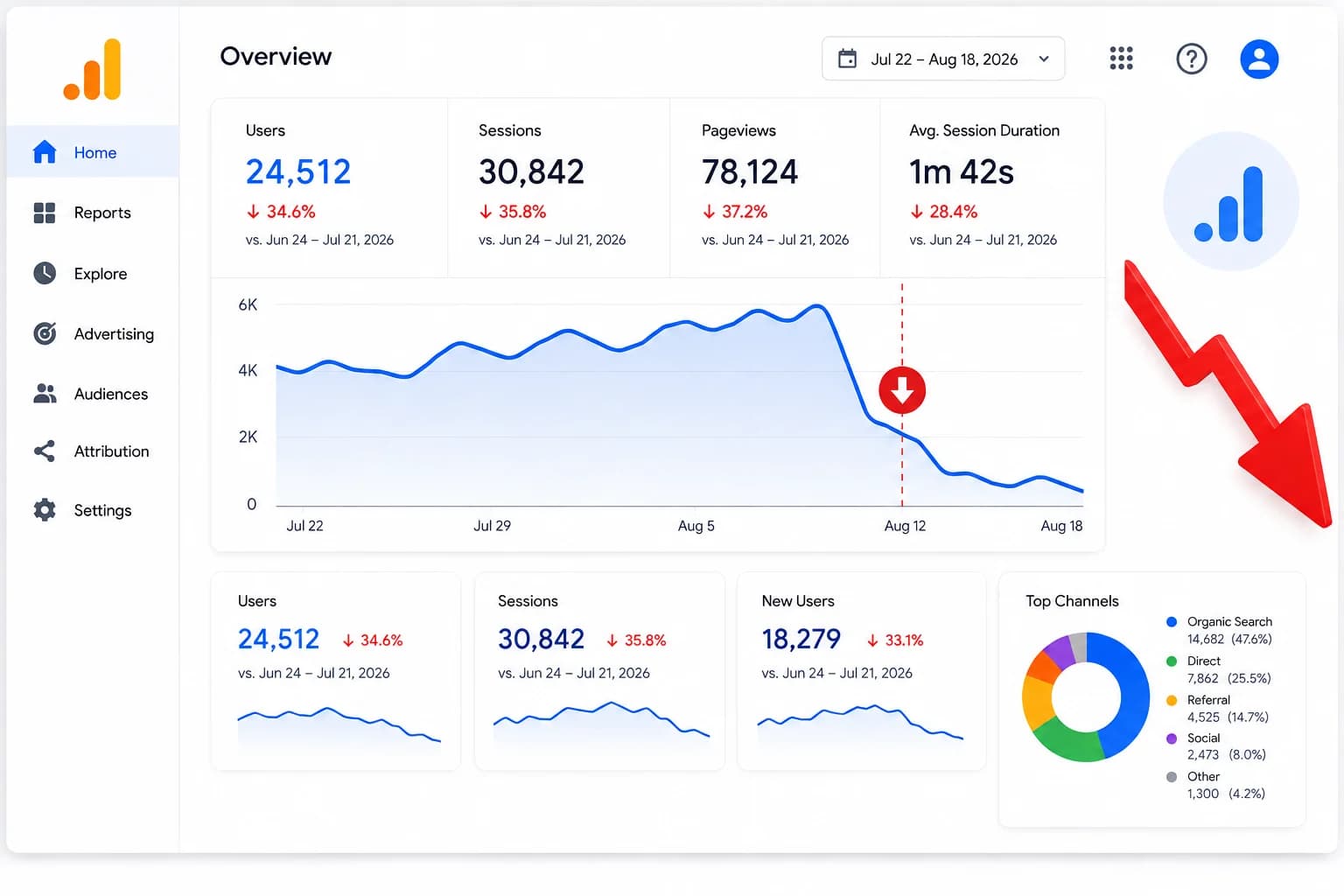
You log into GA4, and your stomach drops along with the graph. Traffic is down 30%, 40%, maybe more, and it happened seemingly overnight. Your first thought is usually some version of "What did I do wrong?"
Take a breath. A traffic drop is a symptom, not a permanent failure. Having diagnosed this exact problem across hundreds of websites, our team at AdAired Digital Media can tell you that nearly every drop traces back to a handful of predictable causes. The vast majority are fully recoverable once you know where to look.
The cause might be a Google algorithm update, a technical misfire, lost rankings, or even a false alarm in your tracking setup. Each leaves its own distinct signature in your analytics. Once you learn to read those patterns, the path back to normal traffic becomes clear.
The biggest mistake site owners make is reacting before diagnosing. Changing site settings at random only muddies the trail and makes root cause analysis harder. Before you touch anything, use this systematic framework to pinpoint what actually happened, fix the underlying issue, and protect your site going forward.
First, Don't Panic: Is It a Real Drop or a Tracking Glitch?
Before you start tearing down the site or rewriting pages, check whether real traffic actually dropped or only the numbers in your reports did. These false alarms show up a lot more than people expect.
Broken GA4 tags
-
 A simple code change, Tag Manager update or plugin tweak can break the tracking script. GA4 starts showing almost no sessions while actual visitors keep coming.
Duplicate tracking scripts
-
Two GA4 tags running together quietly inflate everything. When someone later removes the extra one, traffic looks like it fell by half overnight even though it just returned to normal.
Bot and spam filter updates
-
Analytics platforms keep tightening their filters. If the drop comes with lower bounce rates or fewer unengaged sessions, you may have just lost a bunch of fake traffic.
Timezone or date-range mistakes
-
Comparing a 28-day period that includes a holiday weekend against a regular one can create a fake slump. Always double-check the ranges you’re looking at.
Reporting lag
-
GA4 data often takes up to 48 hours to fully process. That sharp drop at the end of the graph is frequently just numbers that haven’t finished loading yet.
5-Point Tracking Verification Checklist
-
Check real-time reporting in GA4 while visiting your site in an incognito window.
-
Verify that Google Tag Manager container tags are firing on all template layouts.
-
Review recent code deployments or WordPress plugin updates for script conflicts.
-
Compare session counts against server log files or backend order/form submission volume.
-
Inspect the Google Search Console Performance report to see if impression counts match your analytics trends.

If your backend lead volume or sales dipped alongside your analytics graph, the drop is real. If lead numbers stayed normal while traffic flatlined, focus your efforts on a comprehensive GA4 setup and audit.
How to Diagnose a Traffic Drop Systematically
When real traffic drops, random troubleshooting just wastes time. Use this simple 5-step framework to find the actual cause instead of guessing.
-
Figure Out Which Traffic Dropped
Go to Reports > Acquisition > Traffic Acquisition in GA4 and isolate the channel. Check whether the drop hit Organic Search, Paid, Direct, Referral, or Social.
-
Find The Exact Date
Switch to daily view and locate the precise day the graph started falling.
-
Match That Date To Known Events
Cross-check the date against algorithm update logs, code deployments, content changes, or server maintenance records.
-
Segment To Isolate The Problem
Filter by landing page, device, location, and browser. A drop limited to mobile usually points to usability or layout issues. A drop on one subfolder often means canonical or indexation problems.
-
Confirm Before You Act
Double-check your theory with Google Search Console, Ahrefs, or Screaming Frog before making any site-wide changes.
Which Channel Dropped?
Identifying which acquisition channel lost volume tells you immediately which department or discipline needs attention.
Channel Dropped | Likely Primary Cause | Where to Direct Investigation |
Organic Search | Algorithm update, technical indexation bug, SERP layout change, lost rankings | Google Search Console, Ahrefs, SERP tracking tools |
Paid Search | Expired campaign budgets, billing issues, ad disapproval, bidding shifts | Google Ads / Bing Ads campaign dashboards |
Direct | Broken tracking tags, lost dark social sharing, domain name system (DNS) issues | GA4 Tag Manager settings, redirect configurations |
Referral | Lost high-volume backlink, removed directory listing, partner site removal | Ahrefs / Semrush backlink lost reports |
Social | Algorithm changes on social platforms, reduced posting cadence, viral post tail-off | Social media analytics dashboards |
For detailed breakdowns on native Google acquisition reporting, consult Google's official GA4 Traffic Acquisition documentation.
Common Cause #1: Google Algorithm Updates
Google updates its ranking systems regularly. Some are big core updates. Others target spam or helpful content signals.
When an update rolls out, Google rechecks how well pages match search intent across whole industries. If your drop lines up with the update date, your site didn’t necessarily break a rule. Google may just have decided that other sites answer the queries better.
Check the exact drop date against the Google Search Status Dashboard and announcements on the Google Search Central Blog.
Core updates often hit sites with thin content, weak site structure, or heavy ad layouts hardest. Multiple page groups can drop at once. Spotting that pattern helps you tell a broad ranking shift from a simple technical problem.
Common Cause #2: Technical SEO Issues
Technical problems can tank visibility faster than bad content. One wrong line of code can pull thousands of pages out of the index in a few hours.

We once saw this during a site migration for a regional service business. A developer left a <meta name="robots" content="noindex"> tag on the staging site and pushed it live. Within 48 hours Google removed the top city-service pages from search results.
After the tag was deleted and a clean sitemap was resubmitted in Search Console, rankings came back in about two weeks.
Always check the Pages / Coverage report in Google Search Console. Look for pages marked “Indexed” versus errors like “Excluded by ‘noindex’ tag” or “Blocked by robots.txt.”
Understanding these foundational issues is critical for long-term site health, a topic we explore further in our detailed guide on why digital marketing is essential for small business growth.
Common Cause #3: Lost Rankings & Keyword Cannibalization
A traffic drop doesn’t always mean your site disappeared from Google. Sometimes you just slipped from position #2 to #6 for a high-volume keyword.
Competitors may have published stronger, more complete pages. Or your own site may be cannibalizing itself. That happens when several pages target the same search intent, so Google splits the authority between them.
SERPs also changed. AI Overviews, local packs, and featured snippets often sit above the regular organic results. Even if your rank number stays the same, the click-through rate on that #1 organic link can fall sharply.
To check this in Search Console:
-
Go to Search Results.
-
Set a 3-month comparison (Compare > Last 3 months to previous period).
-
Filter by Pages to see which URLs lost impressions and clicks.
-
Filter by Queries to find the exact terms that dropped in average position.
Common Cause #4: Lost or Toxic Backlinks
Backlinks still matter a lot. Losing high-authority links or picking up a wave of junk ones can move your domain authority up or down.
In Ahrefs or Semrush:
-
Open the Lost Backlinks report and see if strong domains recently dropped links to your key pages.
-
Look for broken external links that point to old URLs and return 404s instead of proper redirects.
-
Watch referring domain trends for sudden spikes of low-quality spam.
Don’t rush to the Google Disavow Tool. Google already ignores most passive spam. Save disavow files for real manual penalties or clear negative SEO attacks.
Common Cause #5: Content Changes, Deletions & Decay
Content doesn’t stay the same. Pages lose freshness over time, or someone accidentally breaks ranking factors during a redesign.
Common problems:
-
Deleting low-performing pages without 301 redirects, which kills the internal link equity.
-
Redesigning a page and removing H2s, H3s, structured data, or useful subtopics that helped it rank.
-
Content simply going stale. When competitors publish newer data and clearer steps, Google starts preferring their pages.
Regularly auditing and updating existing assets is crucial. For broader guidance on creating durable content, review our comprehensive digital guide to content marketing.
Common Cause #6: Seasonality & External Factors
Not every drop is a problem. Plenty of industries have normal seasonal swings that look alarming on a month-over-month chart.
A tax consulting firm usually sees traffic fall hard in May and June after the filing deadlines. B2B software companies often slow down in late August and late December.
Always compare Year-over-Year in GA4, not just Month-over-Month. If July is down 15% from June but still up 10% from last July, you’re looking at normal seasonality, not a ranking loss.
Common Cause #7: Manual Actions & Penalties
A manual action is different from an algorithm change. It means a human reviewer at Google looked at your site and flagged it for breaking Search Essentials rules.

If you see something like “Unnatural links to your site” or “Pure spam,” Google usually gives a short explanation and a way to request a review once you’ve fixed the problem. Follow their official manual actions documentation for the exact cleanup steps.
How to Recover Your Website Traffic (Step-by-Step)
Once you know what’s actually killing your traffic, start with the stuff that can move the needle fastest.

Phase 1: Immediate technical fixes (Days 1–7)
-
Take out any accidental noindex tags or robots.txt blocks that are keeping pages out of the index.
-
Fix 404s on important landing pages by setting up proper 301 redirects to the current, relevant URLs.
-
Put back any structural content, heading hierarchy, or schema markup that got deleted by mistake.
Phase 2: Content optimization and on-page work (Weeks 2–4)
-
Update aging content with current data, fresher examples, and better alignment to what people are actually searching for.
-
Fix keyword cannibalization by combining overlapping articles into one strong guide, then 301-redirect the old URLs.
-
Improve Core Web Vitals so pages load quickly and stay visually stable on mobile.
Phase 3: Authority and algorithm recovery (Months 1–3+)
-
Rebuild valuable lost backlinks through focused outreach.
-
Strengthen E-E-A-T signals across the site: add verified author credentials, cite solid sources, and tighten overall trust markers.
How to Prevent Future Traffic Drops
You cannot prevent search engines from changing their algorithms, but you can build a monitoring stack that alerts you to technical problems before they affect revenue.
Here’s The Monitoring Setup That Actually Matters.
-
Turn on the Google Search Console email alerts. You’ll catch indexation spikes and security flags without checking the dashboard every day.
-
Use UptimeRobot or Pingdom for downtime. When the server dies you want to know in minutes, not hours.
-
Do weekly rank tracking on your top 50 money keywords in Ahrefs, Semrush, or AccuRanker. Stops the big swings from sneaking up on you.
-
In GA4, set a custom insight that emails you if organic sessions drop more than 20% below the rolling average. Simple threshold, works.
-
Once a quarter, crawl the site with Screaming Frog or Sitebulb. Broken links, redirect loops, missing tags. Better to find them yourself than wait for the rankings to tank.
When to Call in an SEO Expert
Some drops you can fix yourself in a few hours. Others involve overlapping technical problems that need deeper diagnosis.
Reach out for help if:
-
Traffic keeps falling for more than four weeks with no clear reason.
-
You recently finished a domain migration or major redesign and lost over 30% of organic traffic.
-
Google issued a Manual Action against your domain.
-
You took a sharp hit during a Core Update and basic content fixes haven’t brought rankings back after two months.
At AdAired Digital Media, our SEO strategists focus on root-cause technical audits and recovery plans. We sort through conflicting analytics signals, find what actually broke, fix it, and map a clear path back to growth.
If your traffic dropped and you need a definitive diagnosis, contact our team to book a technical SEO audit.
Frequently Asked Questions
How long does it take to recover lost traffic?
It depends on what caused the drop. Simple technical fixes, like removing an accidental noindex tag, often clear up within a few days once Google recrawls the pages. Content refreshes and internal linking changes usually start showing results in 3 to 8 weeks. Recovering from a major Core Algorithm Update is slower. It typically needs broader site quality improvements and can take several months, often showing up during the next big algorithm refresh.
Can a traffic drop fix itself?
Sometimes. Temporary tracking glitches, short server outages, or seasonal dips tend to resolve on their own as conditions return to normal. Drops from technical indexing errors, algorithmic demotions, or lost rankings rarely fix themselves. Those need diagnosis and active fixes.
How do I know if my drop was caused by an algorithm update?
Check the exact date your traffic fell against the confirmed rollout dates on Google’s Search Status Dashboard. If the drop lines up with the start of an update, hits multiple pages across the site at once, and happened without any code or backend changes on your end, an algorithm shift is the most likely cause.
Why did my traffic drop if my keyword rankings stayed the same?
This usually comes down to one of three things, seasonal demand changes, shifts in the SERP layout, or tracking problems. When Google inserts an AI Overview, featured snippet, or large ad block above your position, your rankings and impressions can look unchanged while click-through rates and actual traffic fall.

Dheeraj Swami
Founder & Digital Growth Strategist at Adaired
As the founder of Adaired, he has successfully worked with brands across various industries, helping them improve online visibility, generate qualified leads, and drive measurable business results.
Latest Articles
.webp&w=3840&q=75)
The Future of IT Staff Augmentation in the US Tech
Oct 16, 2026

How to Create a Content Strategy That Drives Traff
Aug 31, 2026
Why Did My Website Traffic Suddenly Drop? Causes,
Aug 19, 2026
%20Guide%202026%20Rank%2C%20Get%20Cited%20%26%20Drive%20AI%20Search%20Traffic.webp&w=3840&q=75)
Answer Engine Optimization (AEO) Guide 2026: Rank,
Aug 14, 2026
.webp&w=3840&q=75)
10 Google Ads Optimization Tips to Improve Campaig
Aug 11, 2026
Categories
Trusted By 1000+ Clients
We Don't Just
Market Brands
We Build Them
We help businesses build clear and reliable brands that attract customers and support long-term growth.